Runs on your computer
Your accounts, lists and conversations stay on your machine. It works from where you already work, on your own connection.
For Windows 10 and 11. Free 7-day trial
Approacher runs on your own computer. You build the list, write the sequence, and it sends at a pace that keeps your accounts safe. Replies from all three channels land in one inbox.
Free for 7 days. No credit card.
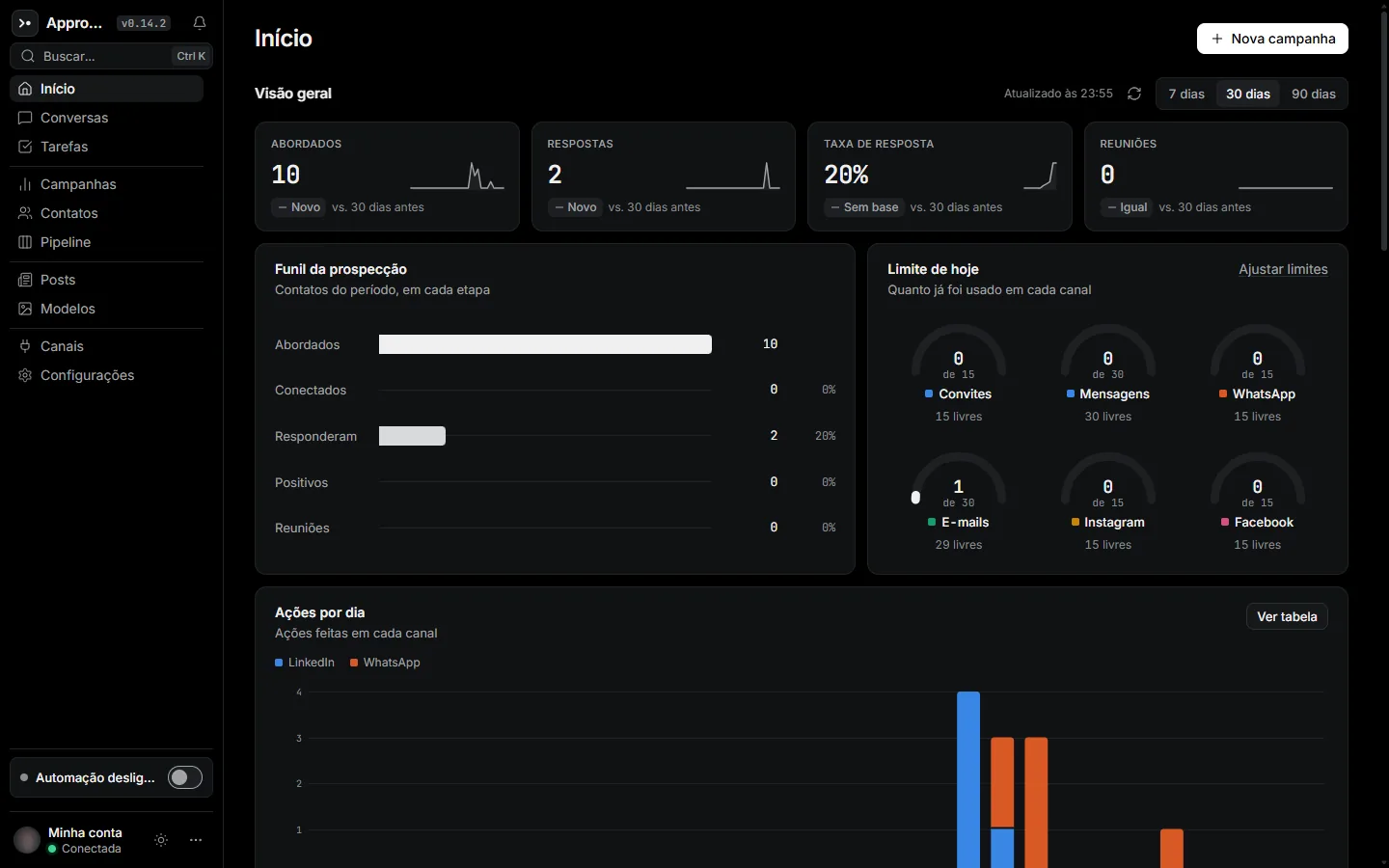
Your accounts, lists and conversations stay on your machine. It works from where you already work, on your own connection.
Daily caps per channel, working hours, and a slow ramp-up for new accounts. You set the rules, the app sticks to them.
A LinkedIn invite, a WhatsApp message and an email in the same sequence, to the same person, with no spreadsheet in between.
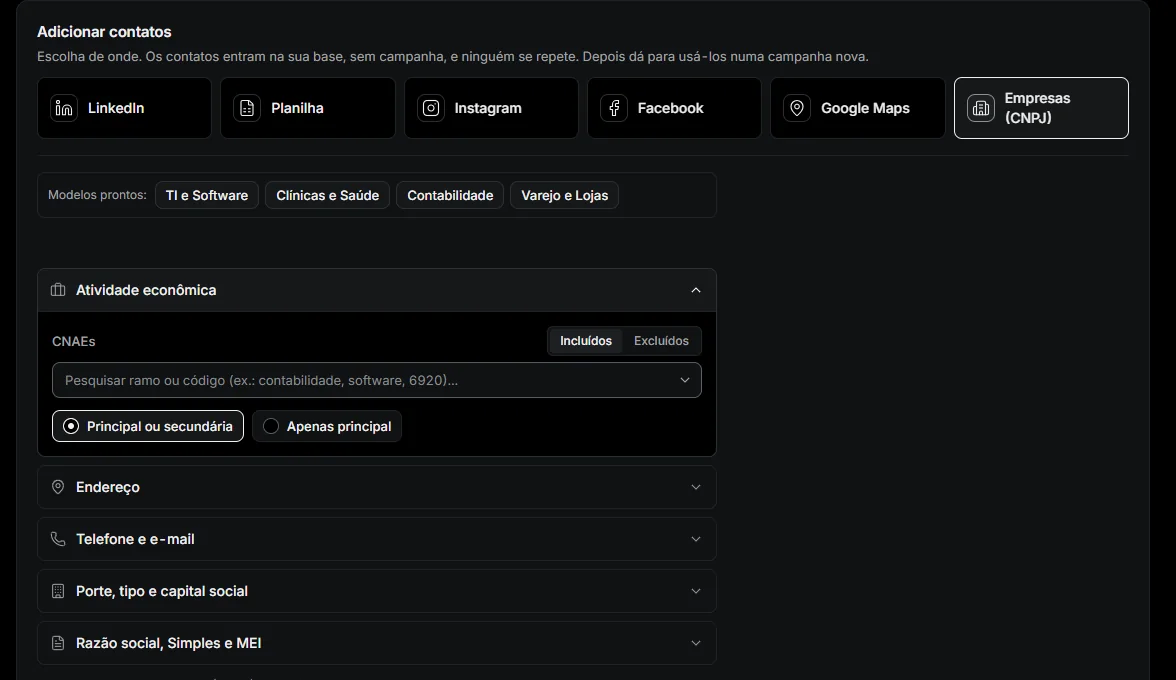
The interface is in Portuguese for now. Screens below are from the live app.
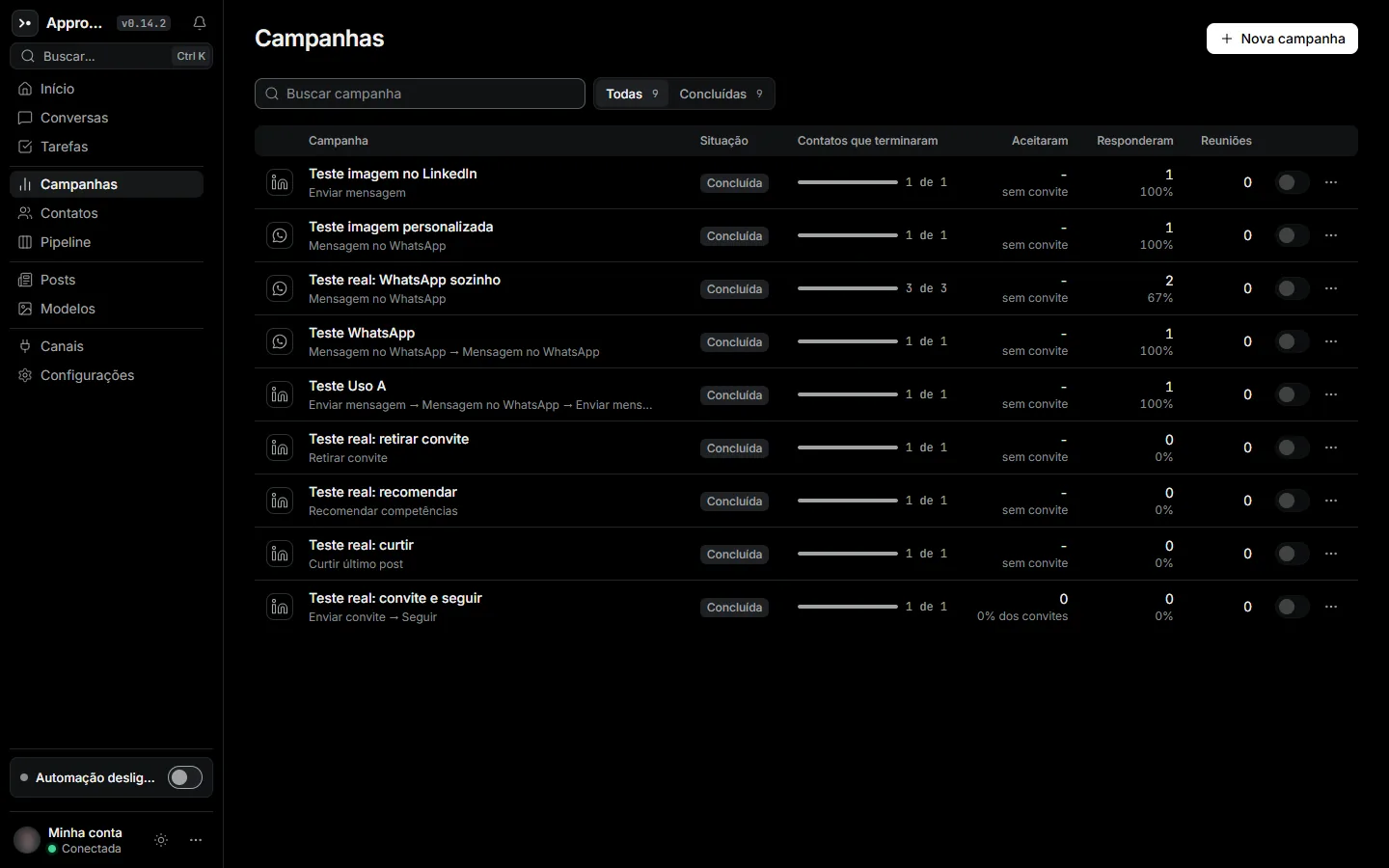
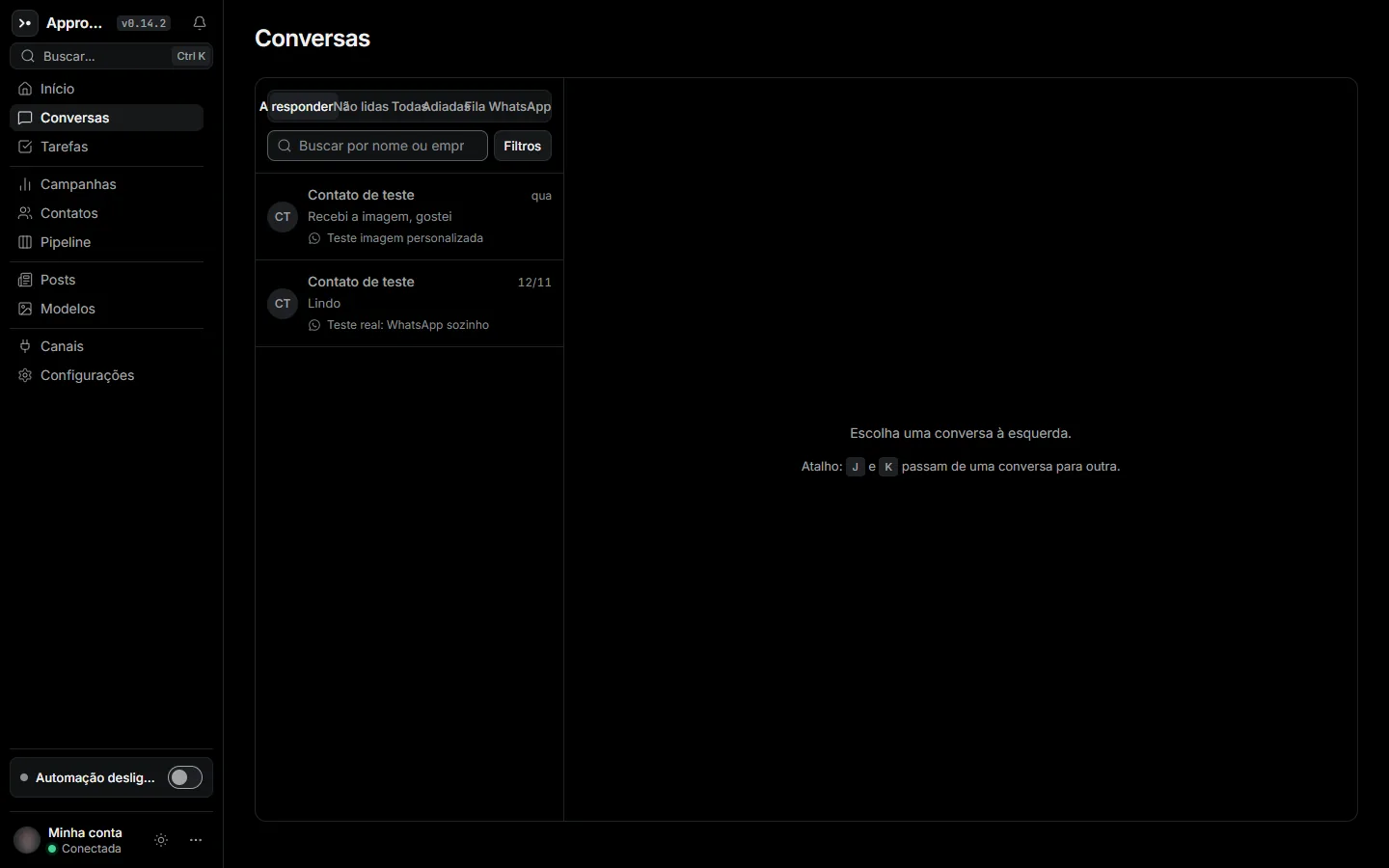
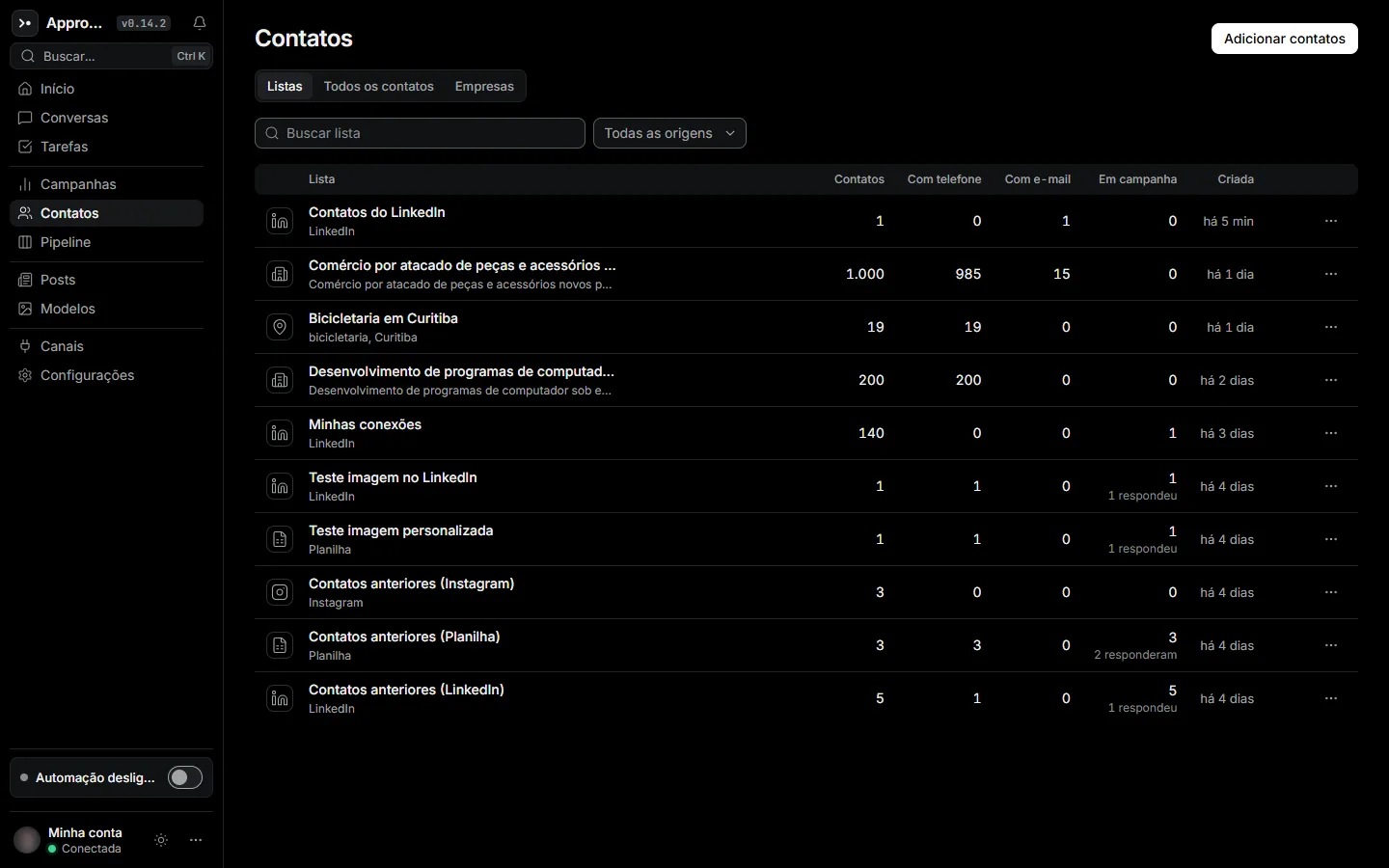
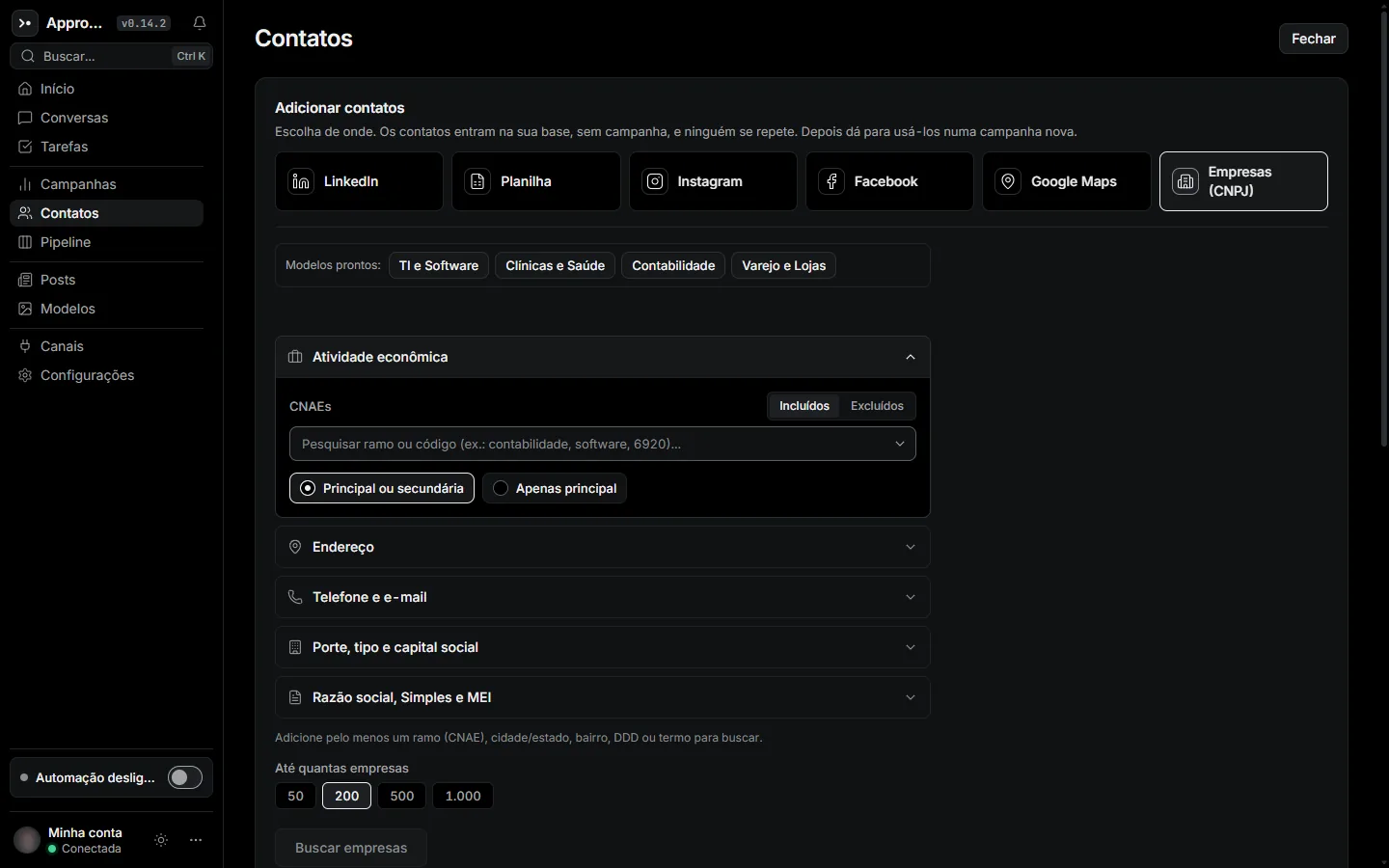
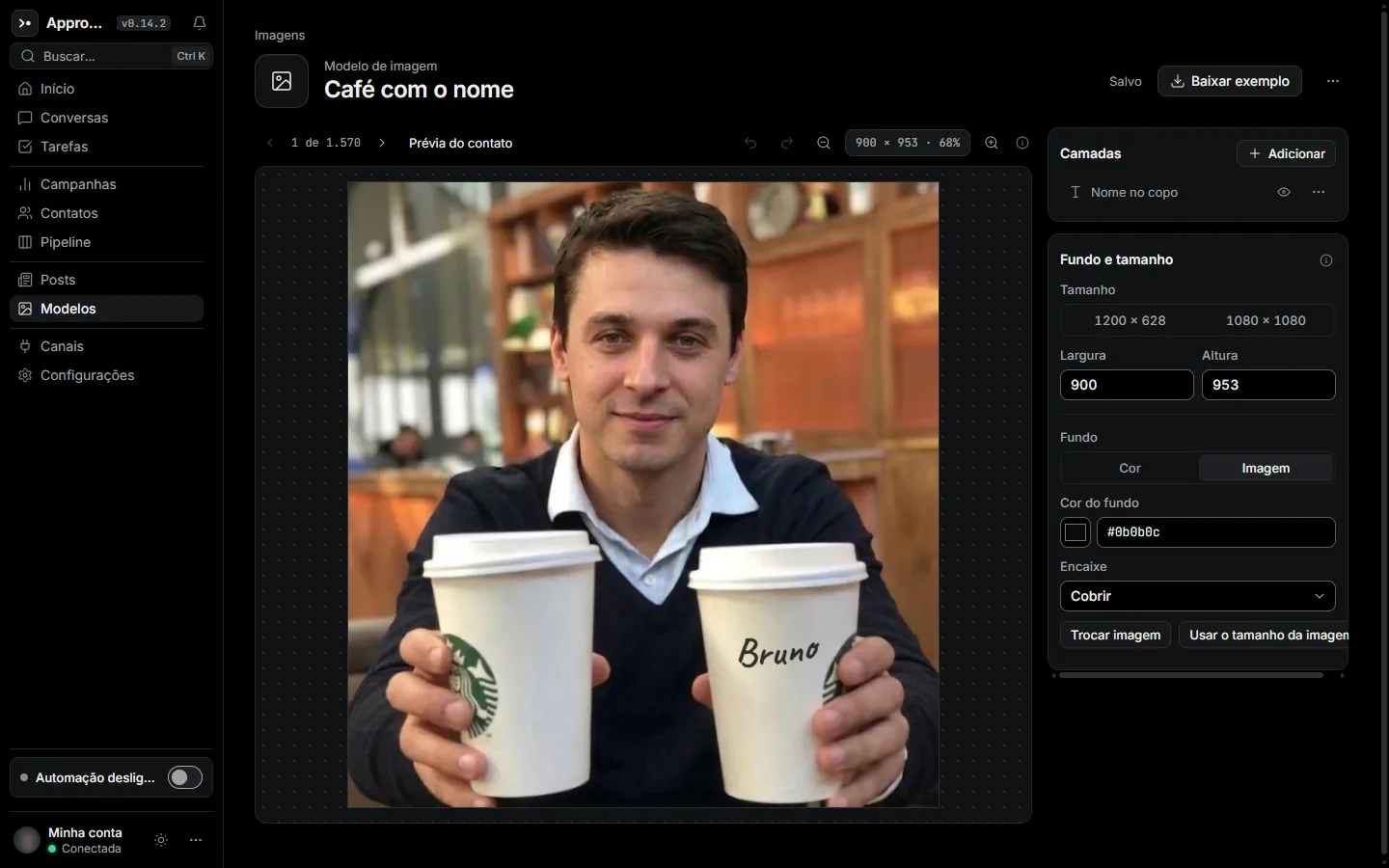
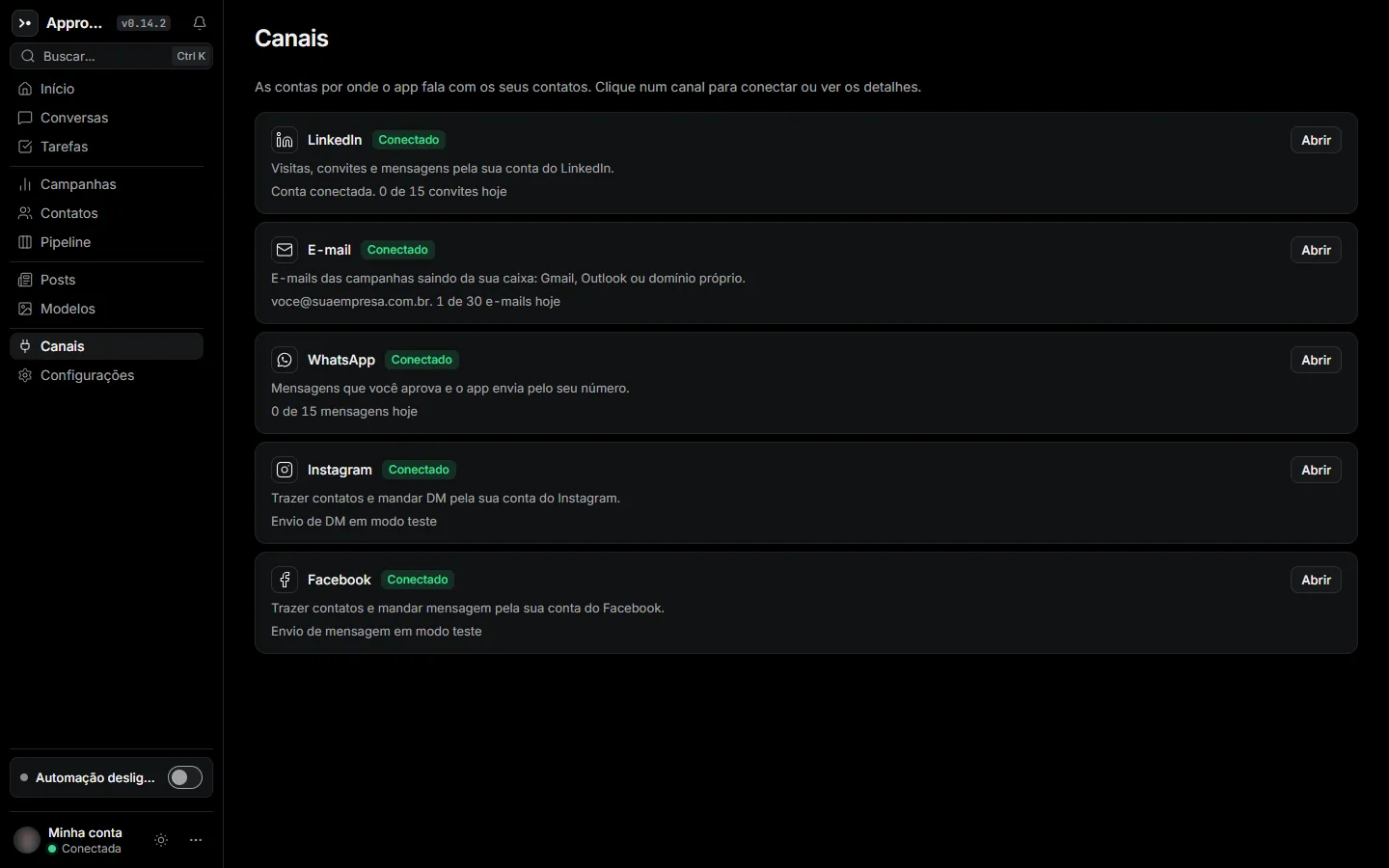
Run the installer, open the app and connect LinkedIn, WhatsApp and email. Add Instagram and Facebook whenever you like.
Pull contacts from wherever they are:
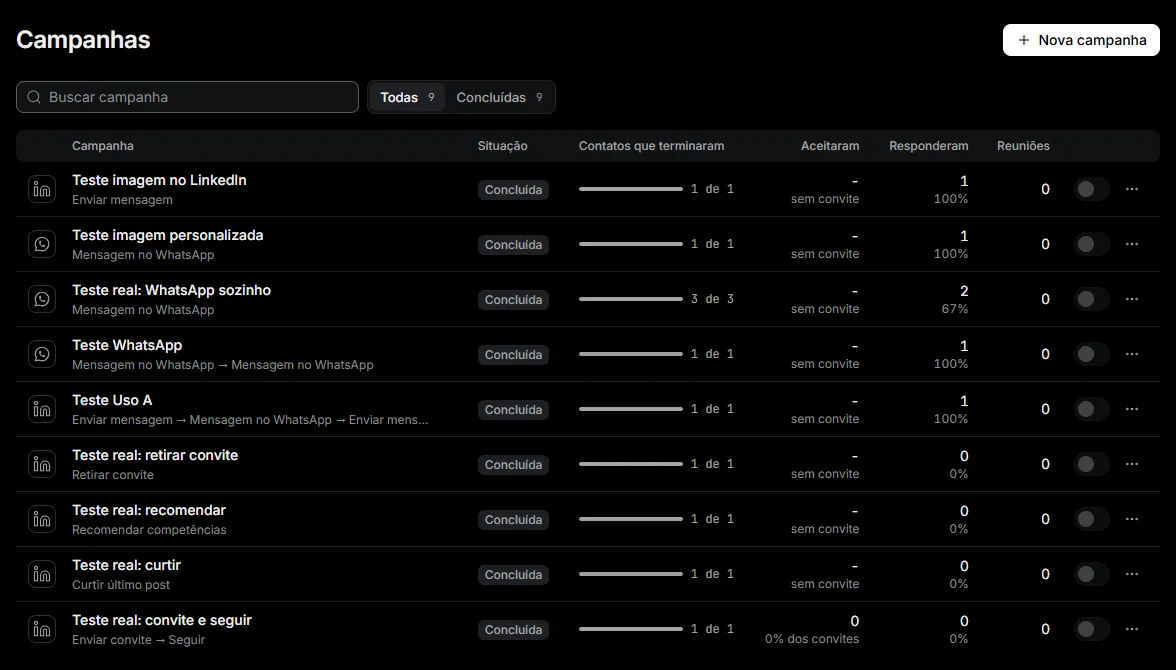
Invites, messages, emails, WhatsApp and a personalized image, in whatever order works. The app sends within your limits and hours.
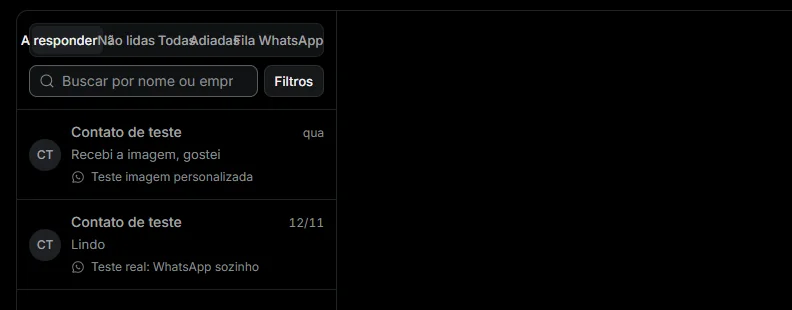
Anyone who replies drops out of every sequence and shows up in the inbox with their full history. From there, push them to your CRM.
LinkedIn, WhatsApp and email in one campaign, with waits between steps.
Daily caps per channel, a working window and gradual warm-up for new accounts.
Collect contacts from social profiles and local businesses with phone numbers.
Every registered Brazilian company, filtered by industry, city, size and regime.
The contact's name on the image, rendered one by one as messages go out.
All replies in one place, with filters, snooze and keyboard shortcuts.
Send replies to Pipedrive, HubSpot or RD Station.
A web dashboard so managers can follow every seat. Managers without a seat don't pay.
Read campaigns and replies and add contacts from Claude Code or your own scripts.
Whoever replies becomes a deal in your CRM. No copy and paste.
Ask in plain English to add contacts to a campaign, check how campaigns are doing or read replies. The API only listens on your computer, and nothing goes through our servers.
| Question | With Approacher |
|---|---|
| Where your data lives | On your computer: accounts, lists and conversations |
| Where messages are sent from | Your machine and your connection, just like you |
| Daily volume | A cap per channel you control, with today's usage in plain sight |
| Timing | Only inside the working hours you set |
| New accounts | Ramp-up: volume grows a little at a time |
To be upfront: LinkedIn's terms don't allow automation tools, and any of them can lead to a warning, a temporary restriction or a ban. Limits lower that risk, they don't remove it. Start slow and stop at the first warning.
Approacher 7 days free
Pricing for your region is coming soon.
In Brazil it's R$ 189 per seat per month. You can start the free trial today.
No credit card for the trial. No setup fee.
Use the full app for a week without entering a card.
One seat per rep. Managers follow everything from the web dashboard and don't pay for a seat if they don't prospect.
No contract and no cancellation fee. See the cancellation and refund policy.
No. Approacher is a Windows 10 and 11 app. On your phone, you can follow replies in each channel's own app.
The interface is in Portuguese today. Your messages can be in any language you write them in.
No. The trial is 7 days, free, with no card.
Local pricing is coming soon. In Brazil it's R$ 189 per seat per month, with no contract and no setup fee.
On your computer. Connected accounts, lists and conversations stay on your machine. See the privacy policy.
Yes, it can. LinkedIn's terms don't allow automation. Daily limits, working hours and ramp-up lower the risk, but no tool removes it. Keep volumes moderate and stop at the first warning.
Each seat runs on up to 2 devices, say your office desktop and your laptop.
Yes, it happens with new software. Click "More info" and then "Run anyway". There's a step-by-step guide (in Portuguese) on the install page.